Trust
Verify the server before trusting it.
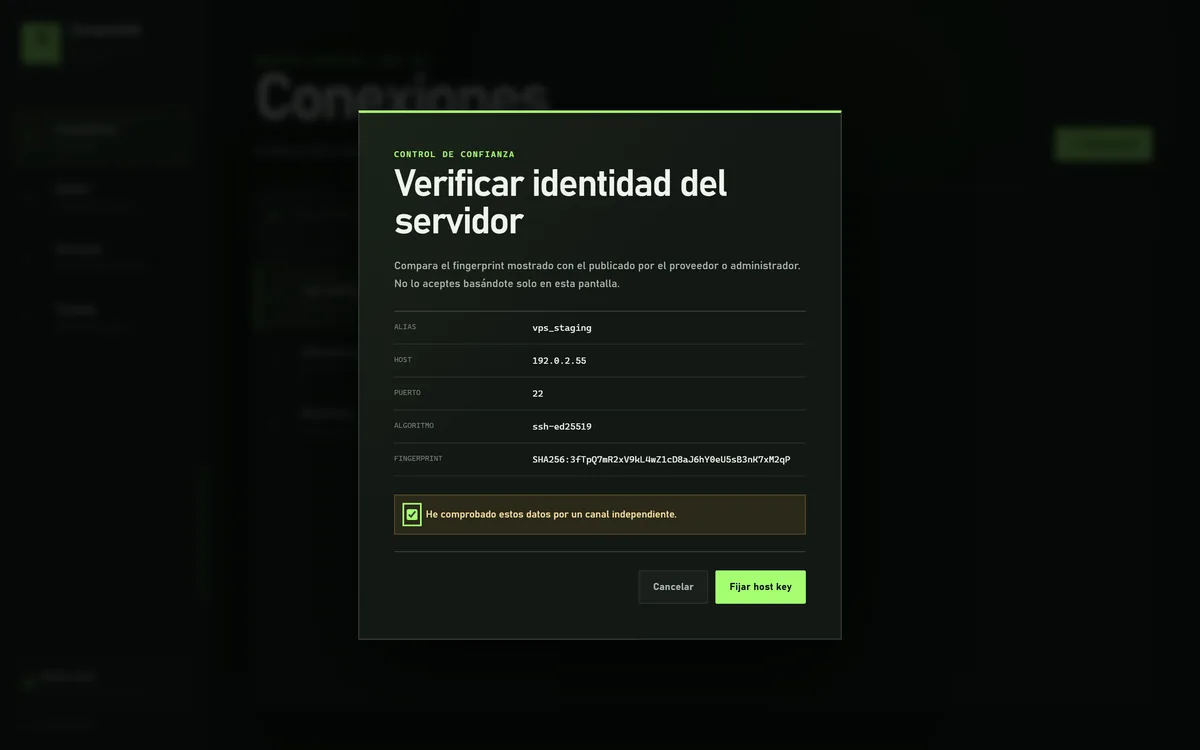
No operation continues until comparing the fingerprint via an independent channel and pinning the host key.
SimpleSSH is a SSH connection manager for Windows. Register your servers once and let your AI agent (Claude Code, Codex, OpenCode…) use them by alias only. It never sees passwords or keys, and doesn't need to know the IP, port, or user. You decide which profiles it can use and revoke access anytime.
Free · Windows 10/11 x64 · Requires WebView2 Runtime (included in Windows 11).
Made for AI
Coding agents already run commands for you. SimpleSSH gives them access to your servers without handing over anything sensitive.
The AI writes simplessh exec vps-web …. The IP, port, and user stay in your local catalog.
Passwords, keys, and passphrases never go through the AI: it uses ssh-agent or the DPAPI-encrypted password on your Windows.
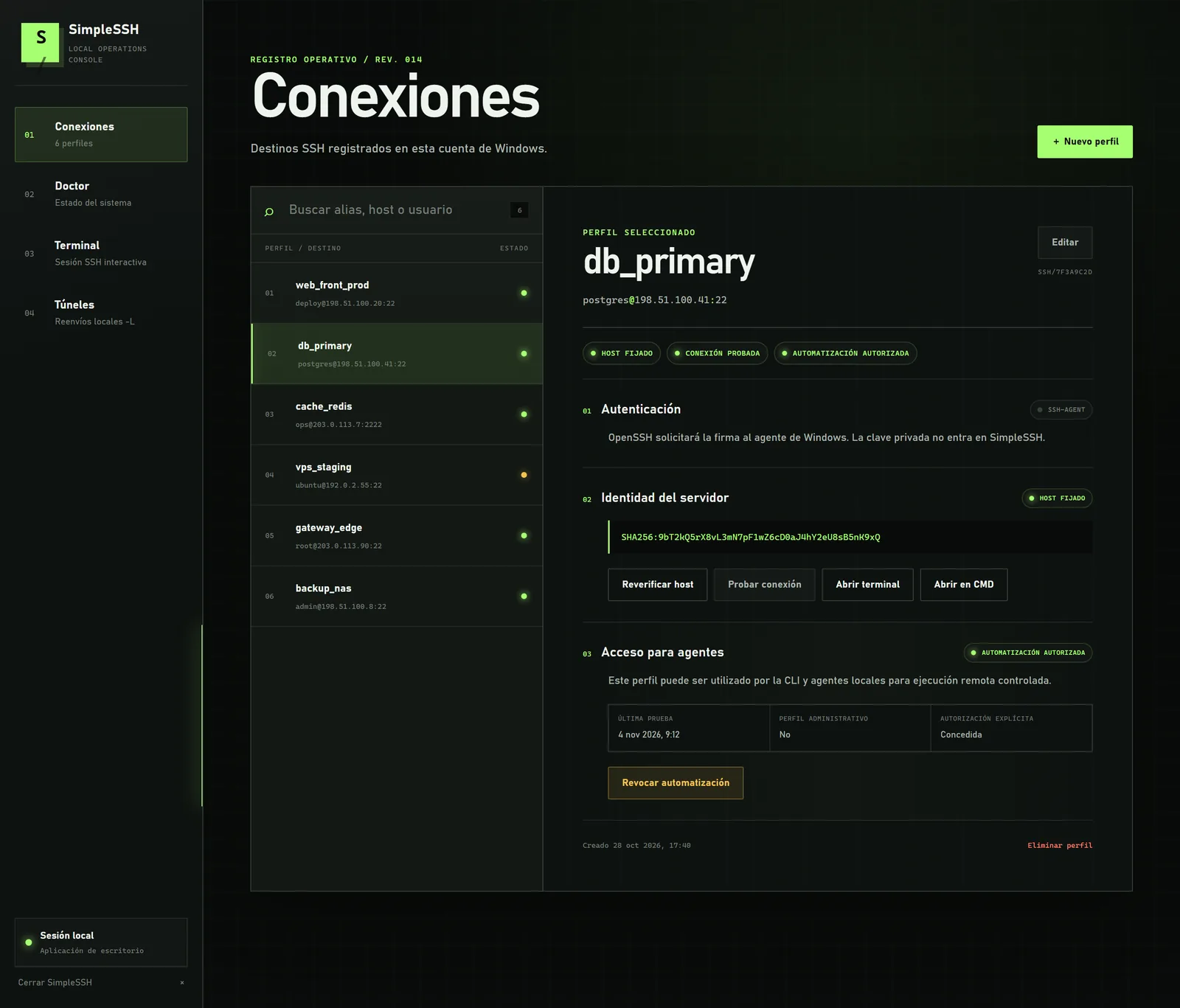
Each profile needs your explicit authorization for the AI to use it. Revoke it in one click.
Verified host key (if it changes, it's blocked), timeout, stable exit codes, and --json output.
What it does
CLI, desktop window, and local web mode share the same catalog and the same security rules.
Host, user, port, and authentication via ssh-agent or key chosen by path. SimpleSSH never stores the key or passphrase.
Compare and pin the server fingerprint before connecting. In non-interactive mode, it fails closed on an unknown or changed host.
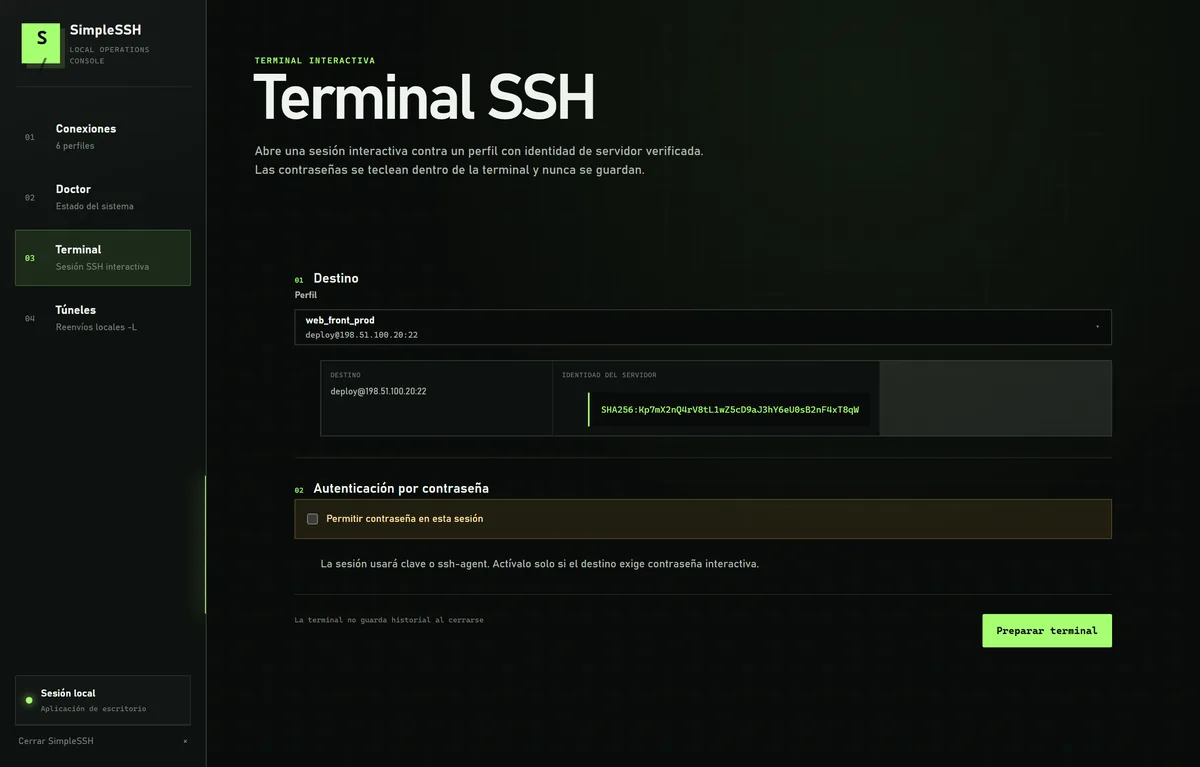
Interactive VT/ANSI session over ConPTY and real OpenSSH. Passwords are typed in the terminal and not stored.
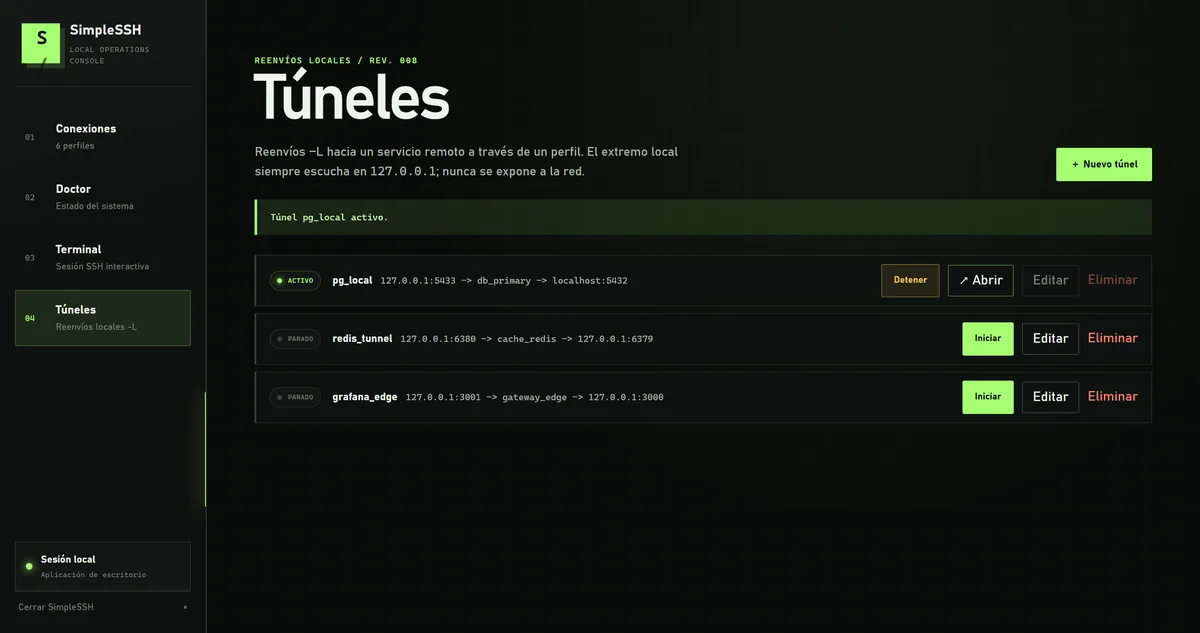
-LForwards to a remote service through a profile. The local endpoint always listens on 127.0.0.1.
Non-interactive exec with explicit per-profile authorization, timeout, and stable exit codes. Redacted --json output.
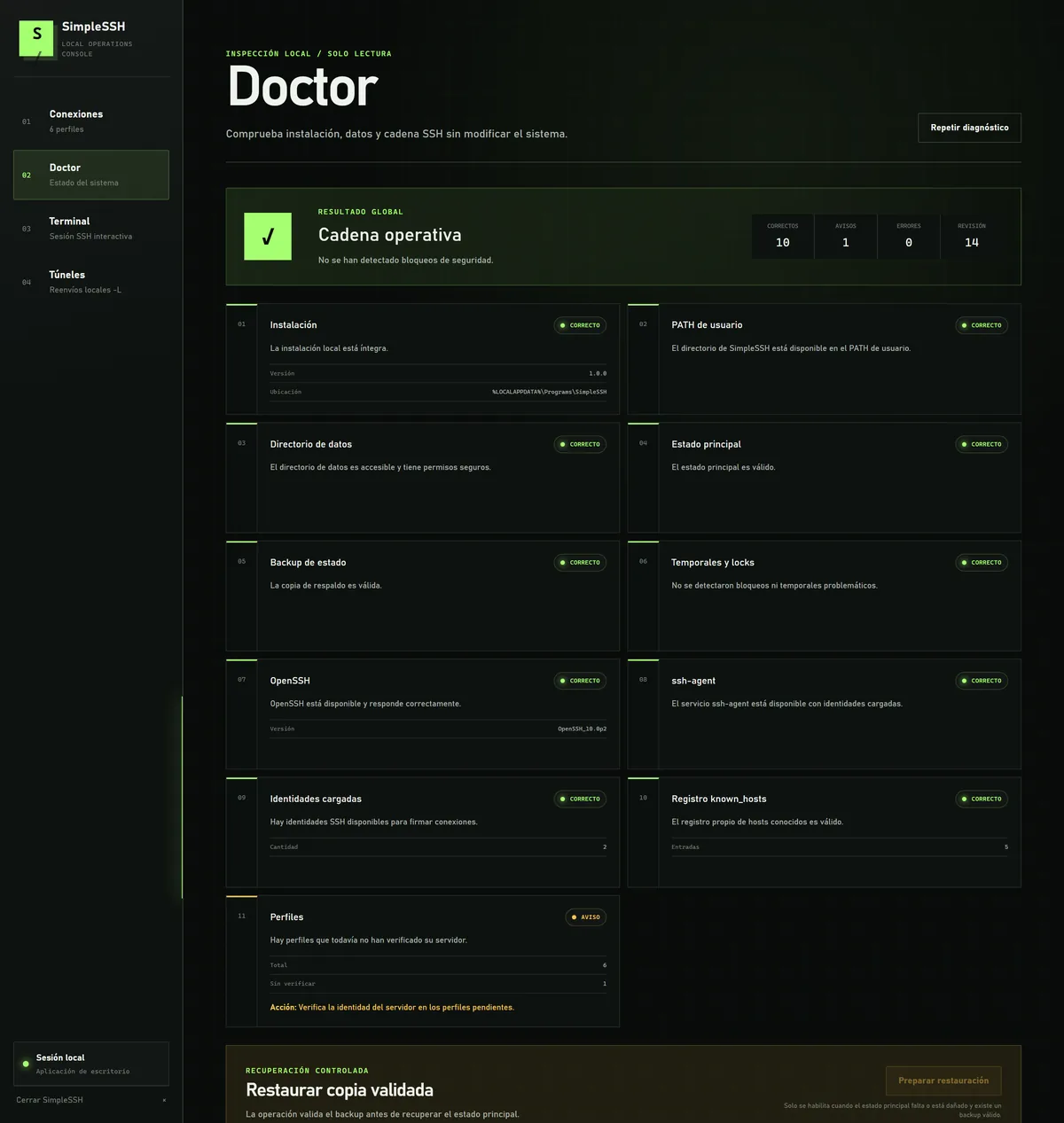
Read-only inspection of installation, data, and SSH chain. Repairs require explicit action and confirmation.
Screenshots
Images with fictional data (documentation IP ranges). They do not reflect any real infrastructure.
No operation continues until comparing the fingerprint via an independent channel and pinning the host key.
Only opens against a profile with pinned host key. Passwords are typed inside the terminal and never stored.
Start and stop -L tunnels from the window. The local endpoint is never exposed to the network.
Installation, data, and SSH chain verified without modifying anything on the system.
Frequently asked questions
Register the server in SimpleSSH with an alias, verify its fingerprint, and authorize that profile for automation. Then the agent runs simplessh exec <alias> -- "<command>": SimpleSSH opens the connection with OpenSSH; the agent doesn't need the IP or user and never sees the password or key.
No. Keys are used through ssh-agent and, if you save a password, it is stored encrypted with DPAPI tied to your Windows account. SimpleSSH does not accept secrets via arguments, environment variables, or clipboard, so they do not end up in the conversation or agent history.
An SSH connection manager for Windows. Save your servers once and use them by alias from its window, from PowerShell, or from an AI agent. Includes integrated SSH terminal, local -L tunnels, and system diagnostics.
Yes. It is free to download and use. You may share the executable unmodified and citing the official website; selling it is prohibited.
For now only on 64-bit Windows 10 and 11. The servers you connect to can be Linux or any system with SSH.
Yes. It uses Microsoft's official OpenSSH client, included in the program, saves your connections by alias, verifies host keys before connecting, and adds integrated terminal, tunnels, and controlled access for AI agents.
Yes, at any time, with simplessh connection revoke-exec <alias> or from the window. Each profile needs your explicit authorization before an agent can use it.
No. The connection catalog lives on your machine, in %LOCALAPPDATA%\SimpleSSH. The website only asks for your email to send you the download code.
A ZIP with the portable executable for Windows x64. Extract it and open it with a double click.
Security by design